What Molstudio is
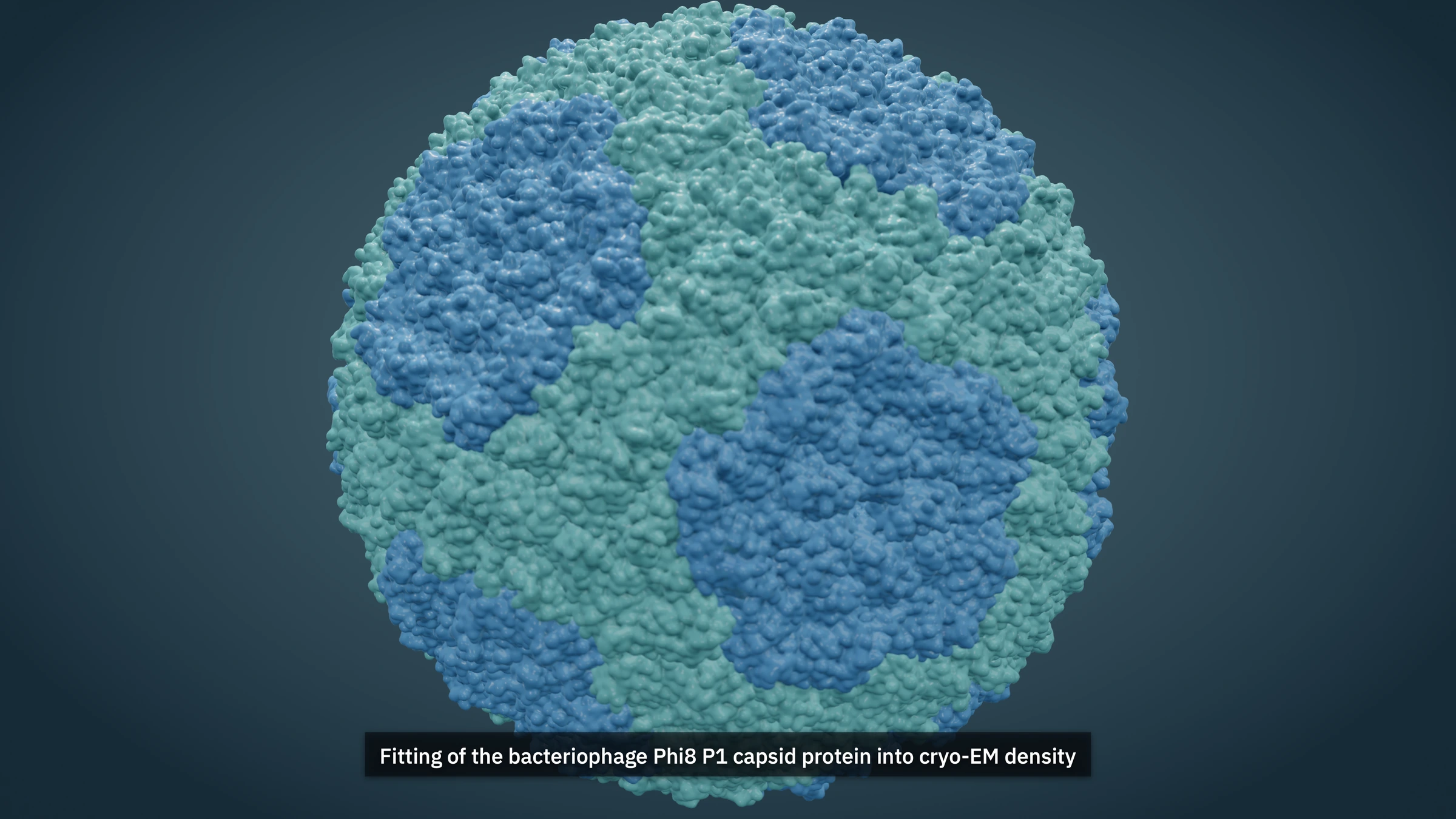
The capsid above was rendered in a browser tab. Nothing was installed to make it, and it never left the machine it was drawn on. That is most of what Molstudio does: it takes deposited coordinates and hands back frames you can use in a talk or a paper.
Why it exists
Molecular graphics tends to split into two camps. Structure viewers are fast and accurate, and everything they produce looks like it came from a structure viewer. General 3D packages will render anything you want, beautifully, but getting a protein into one and keeping the science intact turns into its own project with its own deadlines.
Molstudio sits between the two. It reads PDB and mmCIF directly and leaves the deposited coordinates alone, while giving you the controls a cinematographer would expect to find.
The rendering
While you work, the viewport uses screen-space lighting and refines whenever you stop moving. That keeps it responsive. Ask for a final frame and a tracer takes over, converging pass by pass through shadows, ambient visibility, indirect light and glossy reflection. You switch those on per project, so nothing expensive happens because a default said it should.
Surfaces come from a packed 2K PBR atlas covering protein, membrane, ceramic and machined-metal families, projected in world space. Molecules have no UVs and do not need any. Subsurface depth is set per material in ångströms, since that is the scale the light is working at.
Grading is AgX or ACES, with depth of field, bloom and fog available on top. Stills export tile by tile, so a frame can be much larger than the screen it was composed on. The capsid above was rendered at 3840×2160. The copy on this page is 248 KB.
The motion
Any selection you save can become a component, whether that is a domain, a ligand, a strand or the result of a residue query. Director then asks one visible question at a time: what moves, what it should do, where, when, and what should happen afterward. Move, point-to-point contact and binding, flex, growth, appearance, physical response and camera motion all remain fully editable rather than becoming a sealed preset.
You can also direct from the frame itself. Click or tap to select, then right-click or long-press at the relevant site to draw a route, pin two contact points, mark a hinge, place an assembly origin, change appearance or frame the camera. Auto-key records a pose at the playhead, and Focus viewport clears the panels while retaining the essential tools. Orbit navigates around a target; Free camera travels independently with desktop keys or an on-screen touch pad. A molecular surface uses its visible triangle for a contact, and a cartoon ribbon keeps the clicked cue visible while contact resolves to that residue's physical atom envelope. There is no scripting layer in front of any of it.
When the object you need is not in a deposited or predicted structure, the full-screen Shape Lab will build and manually sculpt an explicitly illustrative Å-scale asset. Pull, Push, Inflate, Smooth and Flatten create reversible geometry layers. Semantic regions and binding ports return with the finished asset to the same animation system.
Where the line is
A demonstration should not quietly turn into evidence. Annotations and shots carry provenance labels, and the studio states plainly which parts were authored. Staged motion is labelled as illustrative. A camera move is never presented as a claim about the molecule. Procedural layouts describe construction rules rather than predicting how an assembly or conformation behaves, and an interpolated morph is shown as an interpolation instead of a pathway through real states.
Deposited atom coordinates are never modified. Your work lives in a client-side project document alongside them, and citations export with the frames.
Trying it
The studio runs in one browser tab. A shared Molstudio account is the identity layer across the website and connects private cross-device projects and explicit share links; browser recovery and portable export remain independent safeguards. Studio boots into an editable T7 replication-fork film if you want something to take apart before loading a structure of your own, and the manual walks through each viewport and guided workflow on desktop, touch and keyboard.